
Why Budget Tablets Are Perfect for Reading & Streaming
Not everyone needs a high-end tablet packed with professional features. For casual users, students, travelers, or anyone who just wants a reliable tablet for reading eBooks, watching Netflix, and browsing the web, budget tablets under $300 can deliver everything you need.
In 2025, budget tablets have improved significantly — offering better displays, longer battery life, and smoother performance for everyday entertainment. Below are five of the best budget tablets designed specifically for reading and streaming, all offering great value without breaking the bank.
Disclosure: This post contains affiliate links. If you purchase through these links, we may earn a small commission at no extra cost to you.
1. Amazon Fire HD 10 (2025 Release, 11th Gen)
Best for eBooks & Prime Video Users
The Amazon Fire HD 10 is purpose-built for media consumption, making it ideal for reading Kindle eBooks, streaming Prime Video, and browsing the web. Its 10.1-inch Full HD display offers crisp visuals, and Amazon’s ecosystem makes it easy to access eBooks, movies, music, and Alexa features.
Key Features:
✅ Display: 10.1” Full HD 1080p
✅ Processor: Octa-core 2.0 GHz
✅ RAM: 3GB
✅ Storage: 32GB or 64GB (expandable via microSD)
✅ Battery Life: Up to 12 hours
✅ Alexa Hands-Free Support: Yes
✅ Pros:
- Excellent for Kindle, Audible, and Prime Video users
- Affordable price with good performance for media
- MicroSD slot for extra storage
❌ Cons:
- Limited Google Play app access (works best in Amazon ecosystem)
- Cameras are weak (but fine for basic video calls)

- Do what you love, uninterrupted — 25% faster performance than the previous generation and 3 GB RAM are ideal for seamles…
- High-def entertainment — A 10.1″ 1080p Full HD display brings brilliant color to all your shows and games. Binge watch l…
- Thin, light, durable — Tap into entertainment from anywhere with a lightweight, durable design and strengthened glass ma…
2. Samsung Galaxy Tab A8
Best for Android Users & Streaming Flexibility
The Samsung Galaxy Tab A8 is a reliable, affordable tablet with a vibrant 10.5-inch display, making it perfect for watching Netflix, Disney+, and YouTube. As a full Android tablet, it also supports Google Play apps, unlike some Amazon tablets.
Key Features:
✅ Display: 10.5” WUXGA (1920 x 1200)
✅ Processor: Unisoc Tiger T618
✅ RAM: 4GB
✅ Storage: 64GB or 128GB (expandable)
✅ Battery Life: Up to 13 hours
✅ Speakers: Quad speakers with Dolby Atmos
✅ Pros:
- Larger display with thin bezels
- Full Google Play access for apps and games
- Great audio quality for streaming
❌ Cons:
- Performance slows with heavy multitasking
- No S Pen support
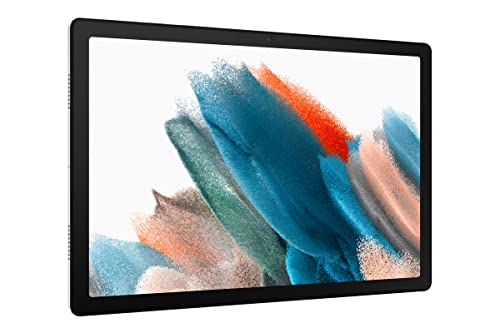
- A SCREEN EVERYONE WILL LOVE: Whether your family is streaming or video chatting with friends, the Galaxy Tab A8 tablet b…
- POWER AND STORAGE FOR ALL: Get the power, storage and speed your family needs with an upgraded chipset and plenty of roo…
- CHARGE FAST, POWER FOR HOURS: Go for hours on a single charge and back to 100% with the fast charging USB C port; Batter…
3. Lenovo Tab M10 Plus (3rd Gen)
Best for Balanced Reading & Streaming Use
The Lenovo Tab M10 Plus is an excellent all-rounder for reading eBooks, browsing online, and streaming shows. Its 2K display offers better clarity than most budget tablets, and it runs full Android with access to Google Play.
Key Features:
✅ Display: 10.6” 2K IPS (2000 x 1200)
✅ Processor: MediaTek Helio G80
✅ RAM: 4GB
✅ Storage: 64GB (expandable)
✅ Battery Life: Up to 12 hours
✅ Reading Mode: Included
✅ Pros:
- Sharp 2K screen great for reading text
- Full Google Play access
- Dedicated reading mode for eye comfort
❌ Cons:
- Speakers are average
- Slower charging than competitors

- The dazzling, 10.6″ FHD IPS display on this Android tablet lets you stream your video services at up to 1080p, while the…
- A lightweight, portable tablet like the Tab M10 Plus Gen 3 is great for student research and projects, working with the …
- Keep focused with Immersive Reading Mode, which makes long screen sessions easier on the eyes with enhanced readability,…
4. Apple iPad 9th Generation (2025 Value Pick)
Best for iOS Users on a Budget
The 9th Gen iPad remains one of the best value tablets for Apple fans, and in 2025, it’s still available at a discounted price. With its Retina display, A13 Bionic chip, and App Store access, it’s fantastic for eBooks, Apple TV+, Netflix, and more.
Key Features:
✅ Display: 10.2” Retina Display
✅ Processor: A13 Bionic
✅ RAM: 3GB
✅ Storage: 64GB
✅ Battery Life: Up to 10 hours
✅ Apple Pencil Support: Yes (1st Gen)
✅ Pros:
- Best performance in the sub-$300 range
- Smooth streaming and app performance
- Excellent Retina display for reading
❌ Cons:
- More expensive than Android options
- Base storage fills up quickly
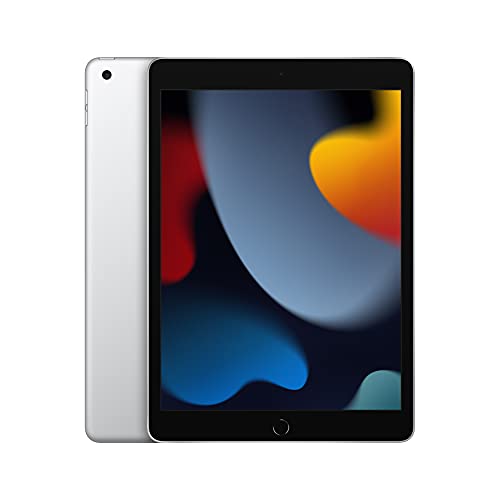
- WHY IPAD — All the essentials in the most affordable iPad, with a beautiful 10.2-inch Retina display, powerful A13 Bioni…
- IPADOS + APPS — iPadOS makes iPad more productive, intuitive, and versatile. With iPadOS, run multiple apps at once, use…
- FAST WI-FI CONNECTIVITY — Fast Wi-Fi keeps you connected at home, work, school, or wherever you go with your iPad.
5. Onn. 10.1 Tablet Pro (2025 Edition)
Best Ultra-Budget Option
Walmart’s Onn. 10.1 Tablet Pro continues to offer surprisingly solid performance for under $150. It’s perfect for light users who just want to stream Netflix, check email, and read a few eBooks without spending much.
Key Features:
✅ Display: 10.1” HD
✅ Processor: MediaTek MT8768
✅ RAM: 3GB
✅ Storage: 32GB (expandable)
✅ Battery Life: Up to 10 hours
✅ Google Play Access: Yes
✅ Pros:
- Extremely affordable
- Decent performance for basic tasks
- Full Google Play Store access
❌ Cons:
- Lower resolution display than competitors
- Limited long-term performance

Key Features to Look for in a Budget Tablet for Reading & Streaming
✔ Display Quality: Full HD or higher is ideal for reading text and watching HD content.
✔ Battery Life: At least 10 hours to cover a full day of use.
✔ Storage: 32GB minimum, but 64GB+ is better if you download content.
✔ App Support: Check if it supports Google Play Store or if it’s locked into a custom app store (like Amazon Fire tablets).
✔ Comfort Modes: Look for reading mode or blue light filters if you read at night.
Final Thoughts
You don’t need a high-end tablet to enjoy your favorite books, shows, and movies. These budget-friendly tablets offer everything you need for entertainment on the go, making them perfect for students, casual users, and anyone wanting affordable, reliable tech.
Stay tuned to GadgetVerseHub for more product guides, reviews, and tech recommendations!
Leave a Reply
You must be logged in to post a comment.